
Create your Annaina Account
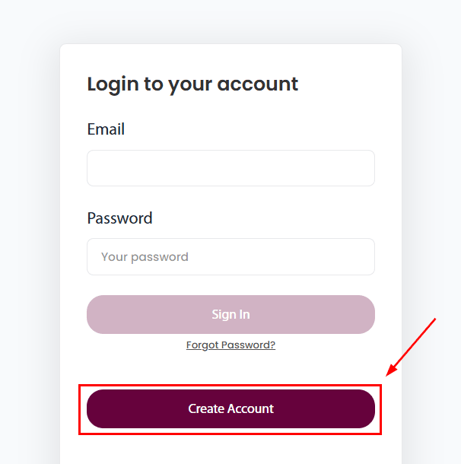
Navigate to the Annaina Application Home Page
-
Click on the Create Account button
-
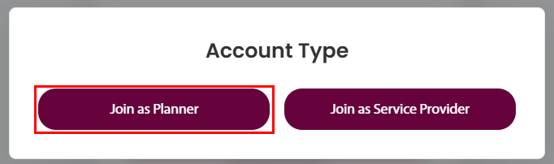
Click on the Join as Planner button
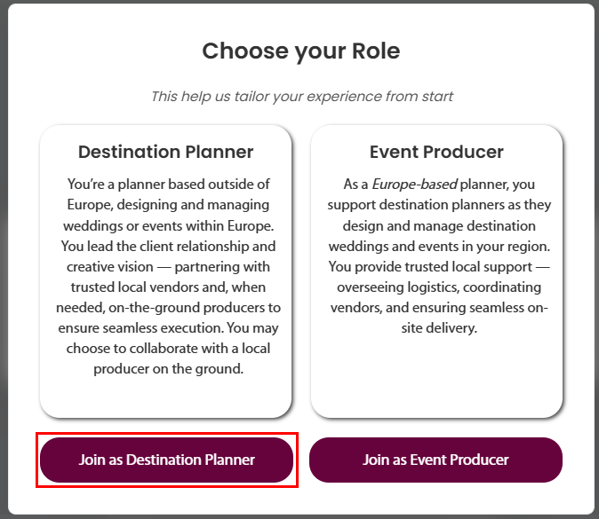
- Click the Join as Destination Planner button under the Destination Planner section.
If you are a planner based in Europe, you can join Annaina as a Day-of-Planner or Event Producer.
If you are based in Europe and plan the majority of your Events in other European countries, please book a call
-
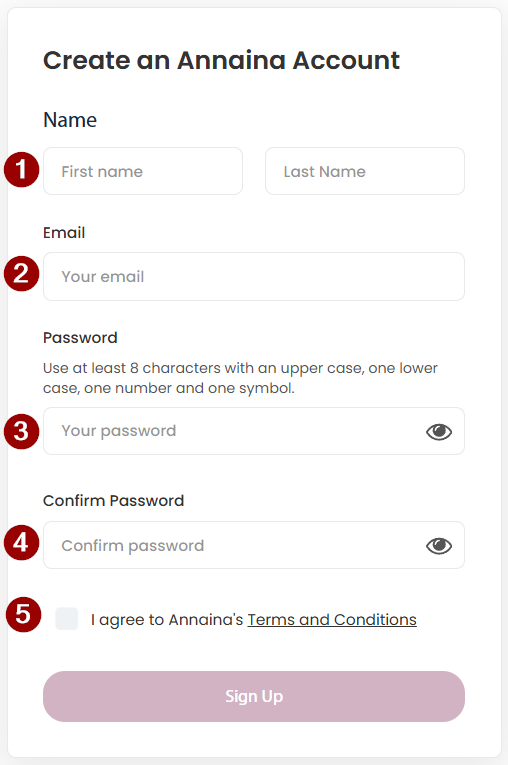
Enter your first and last names
- Provide your Business Email Address (please do NOT use personal Email Addresses!)
- Create your Password
- Min. 8 characters
- Min 1 upper case character
- Min 1 lower case character
- Min 1 number
- Min 1 special character (!+"*ç%&/()[]{}= etc.)
- Check the box to agree to the Annaina Terms & Conditions
Create your Company Profile
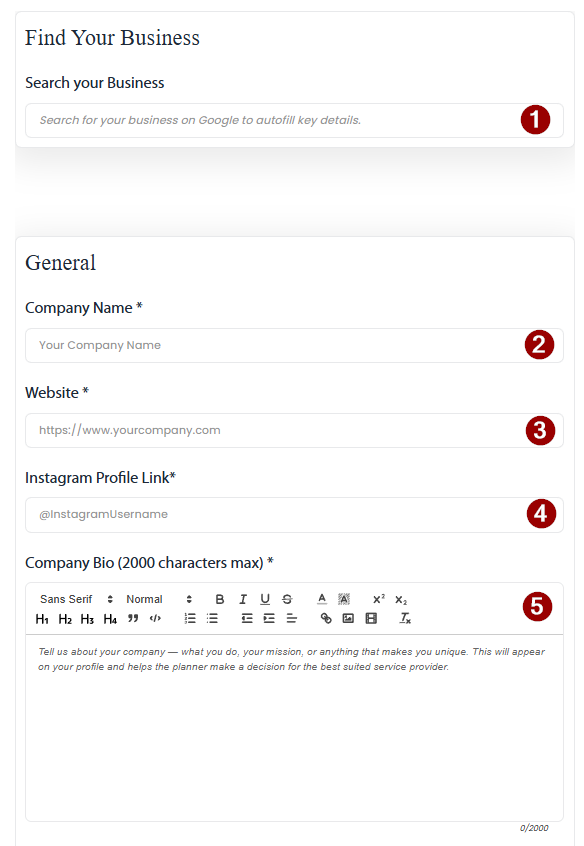
-
Search for your Business on Google Business (if you are registered in Google)
If your business is registered with Google, most information will be pre-filled.
Still, double check for correctness! - Alternatively; Enter your Business Name manually.
- Alternatively; Enter your Company Website manually.
- Enter your Company's Instagram Account Link (https://instagram.com/yourbusiness)
If you have separate Accounts for personal and business, provide the business account. - Provide a Company Bio.
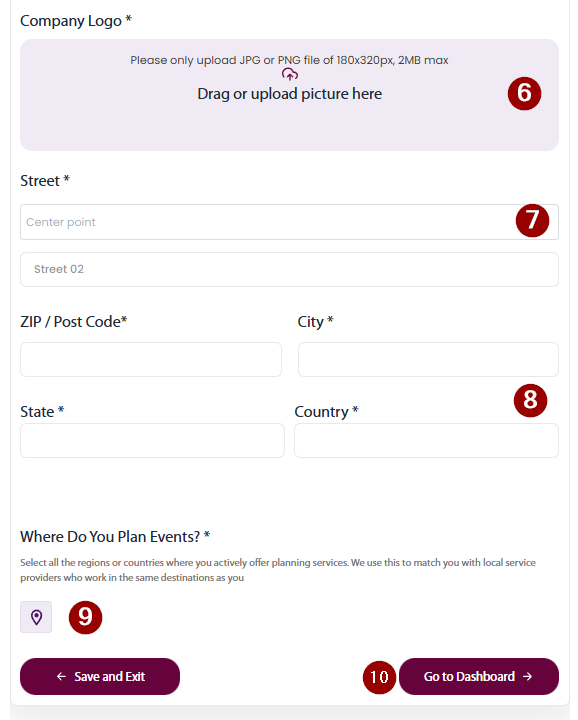
Describe your business; Who you are, what you do, where you are based and what differentiates you from the masses. - Upload your Business Logo.
- If you have not selected Company in Step 1, enter your Business Address manually.
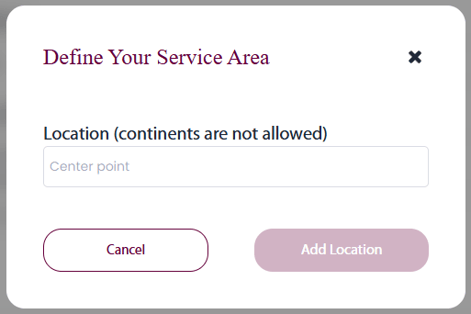
- Click on the Location button (9) to specify where you plan weddings and events.
-
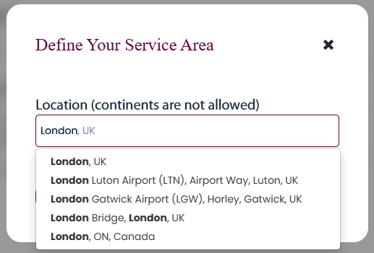
Start typing the first location where you provide your services in the text field
- Select the Location from the dropdown
- You can select entire countries
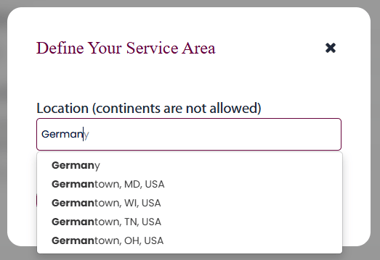
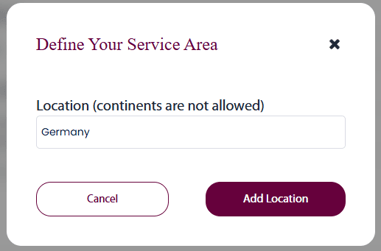
- Or you can select a specific City or Area, with a radius
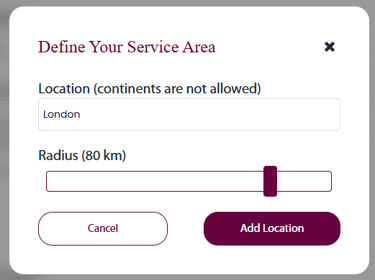
- You can select entire countries
-
Click on the Add Location button and repeat as often as necessary to cover your service area
Note: As of the current version, entering Continents such as "Europe" or "Africa" is not possible. - Click on the Go to Dashboard button to navigate to the Planner Dashboard.