
After creating your account and signing in to Annaina, you need to set up your Planner Profile.
This will tell Vendors who you are, where you work and most of all, that you are serious and reliable.
Navigate to the "Edit Profile" Section
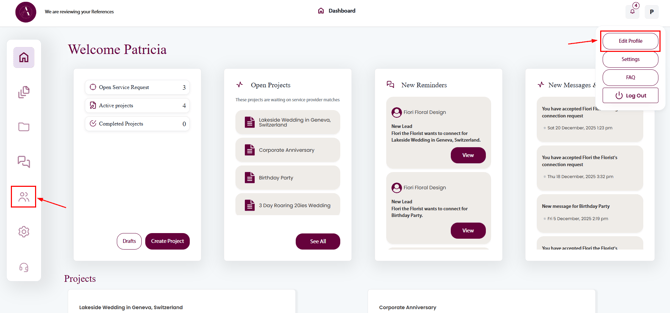
Provide Company Information
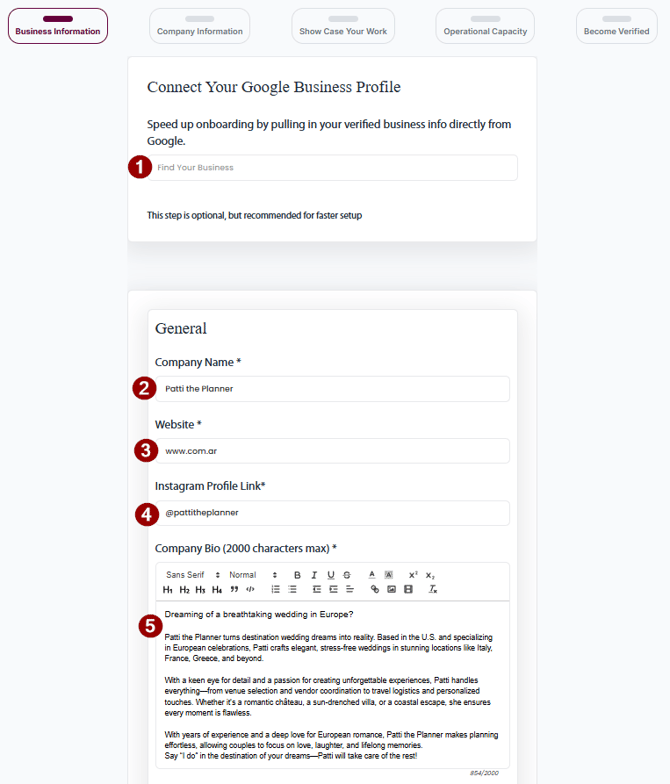
- If your Business is listen in the Google Business Directory, start typing your business name and select if from the dropdown.
- Enter the Name of your Business (autofilled if selected from Google Business)
- Enter your Business' Website (autofilled if selected from Google Business)
- Enter the Instagram Link to your Business Profile (e.g. https://instagram/mybusiness)
- Enter and format your Business' Bio (max. 2000 characters)
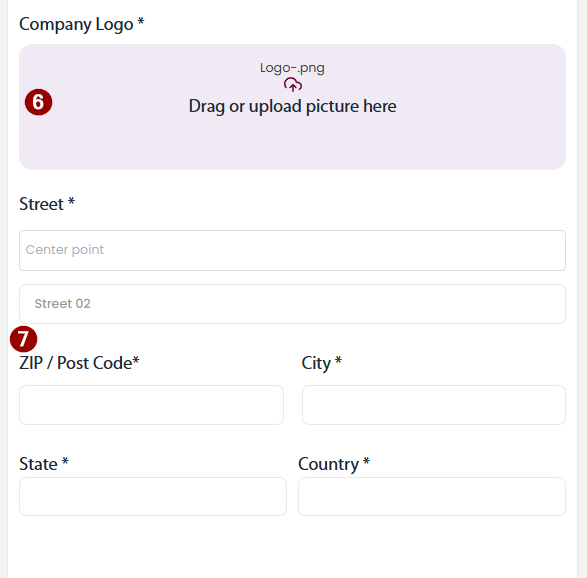
- Upload your Company Logo (max.50Mb)
- Enter the address of your Business (autofilled if selected from Google Business)
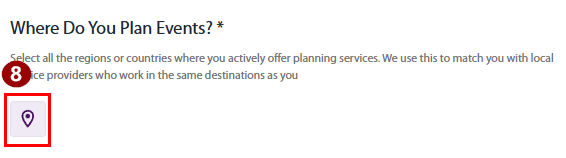
Let the Vendors know where you Plan Weddings and Events
-
Click on the Button to add a Location
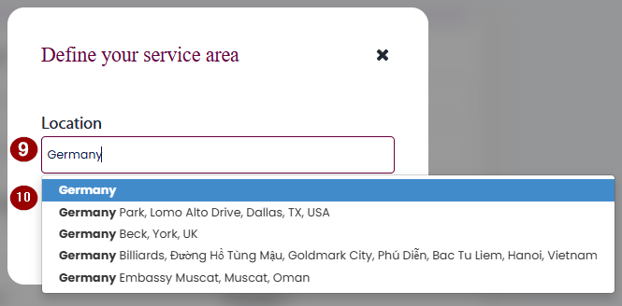
- Start typing the location (Country, City or specific Location)
- Select the location from the dropdown.
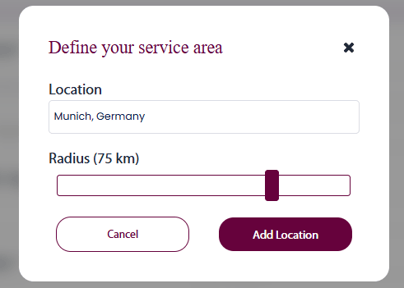
- If a city or specific location is selected, choose the radius around it where you provide services.
Navigate to the next section

Provide Business Information
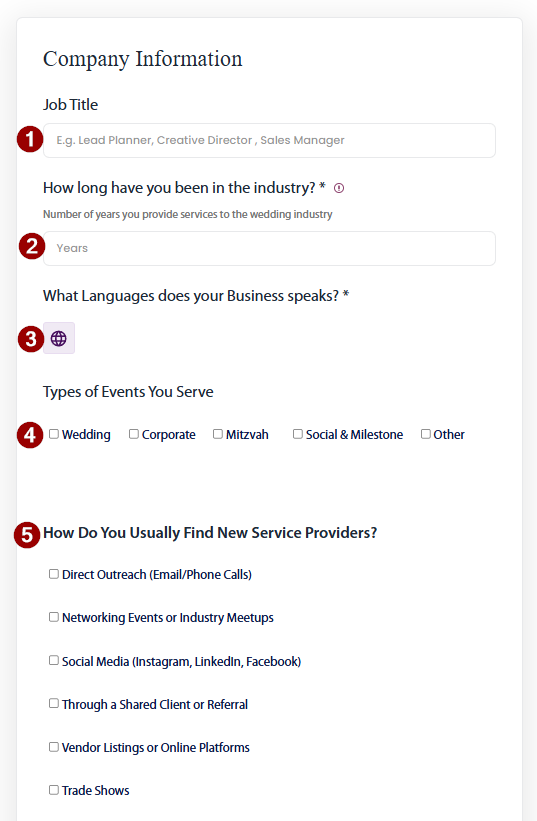
- Enter jour Job Title within the Company
- Let Vendors know how long you are in the wedding and events industry
(not only with your current company, but in total) - Let Vendors know what languages you (and your business) are conversationally fluent in
- Click on the Button to add a language
-
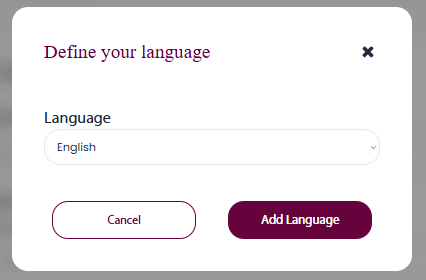
- Select Language and Click on Add Language
- Specify what Events you are planning
- Tell us how you find vendors outside Annaina
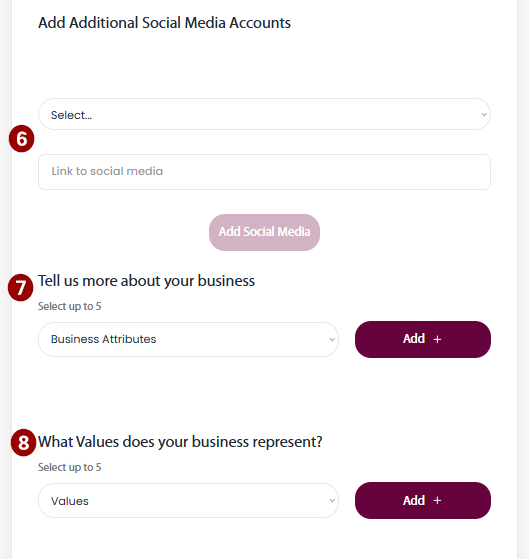
- Additional Social Media Accounts
(Instagram, Google Business and Website are automatically added if provided)
-
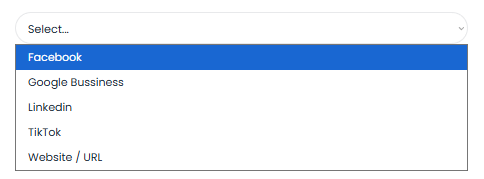
- Select Social Media Type from the dropdown
-
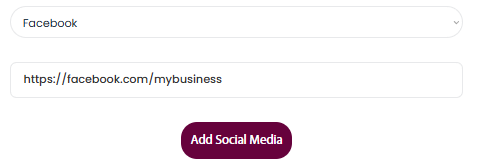
- Enter the full link and click Add Social Media
(e.g. https://www.facebook.com/mybusiness)
- Enter the full link and click Add Social Media
-
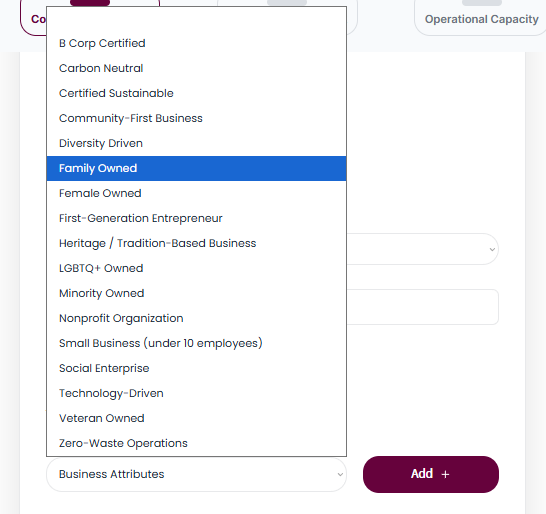
Tell the Vendors what kind of Business you are with up to 5 Business Attributes
-
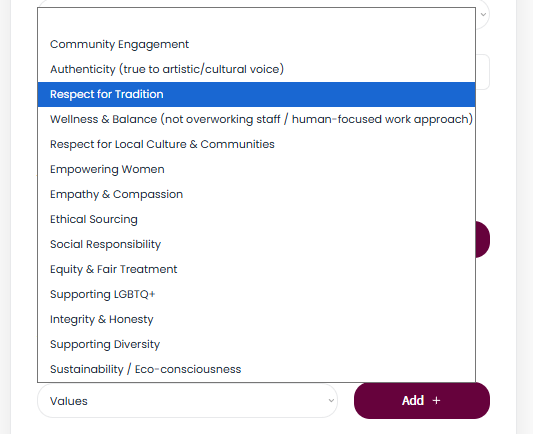
Tell the Vendors what you stand for with up to 5 Values
Showcase Your Work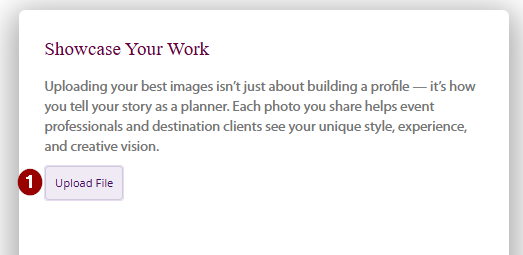
Click Upload to Upload up to 5 Pictures and 1 Video (max 50mb per file)
Tell the Vendors about your operational Capacity
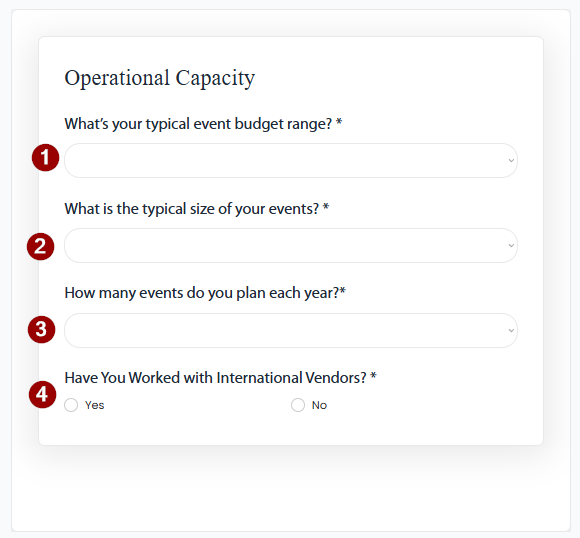
- Tell the Vendors what total budgets you usually work with.
- Tell the Vendors the typical Guest Count of events you are planning.
- Tell the Vendors how many events you are planning per year.
- Tell the Vendors if you have worked with local vendors before