
Access the Edit Profile menu
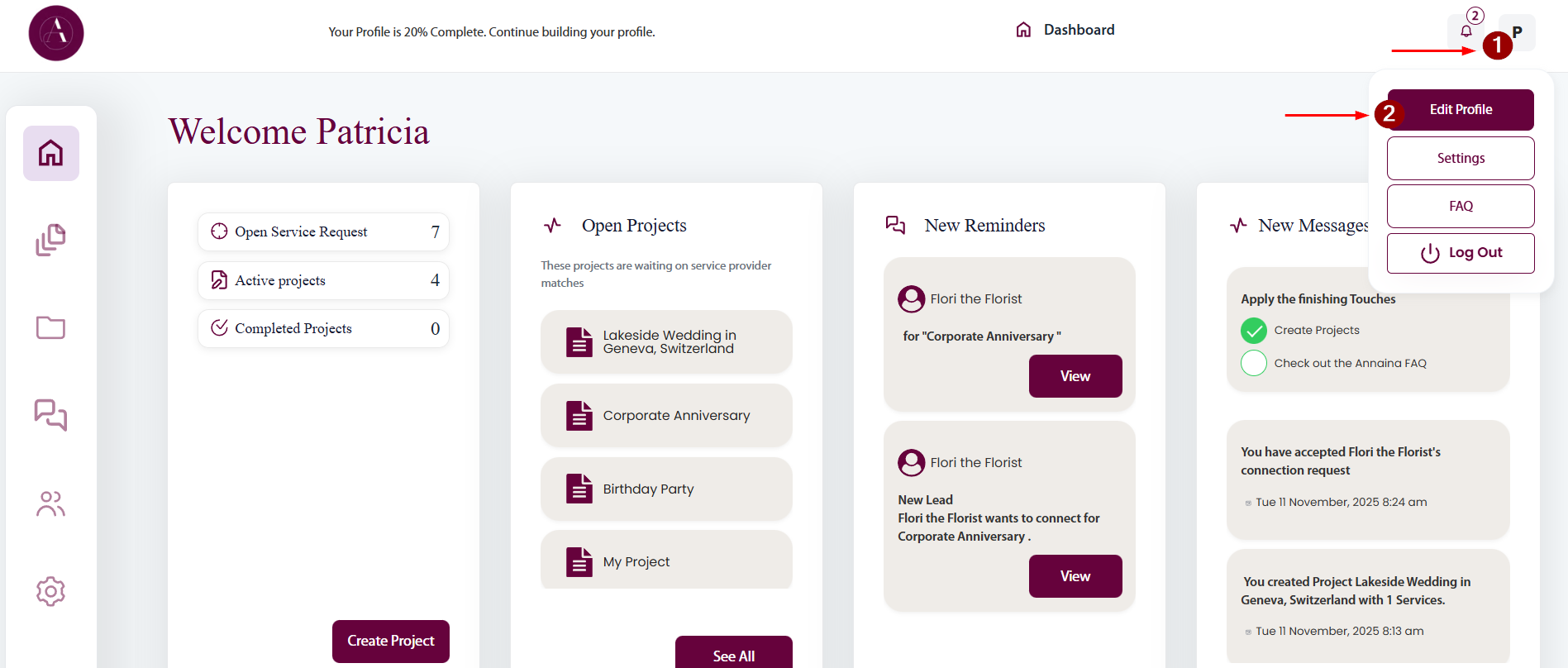
From the Dashboard, click on your user icon on the top right (1), then select Edit Profile (2).
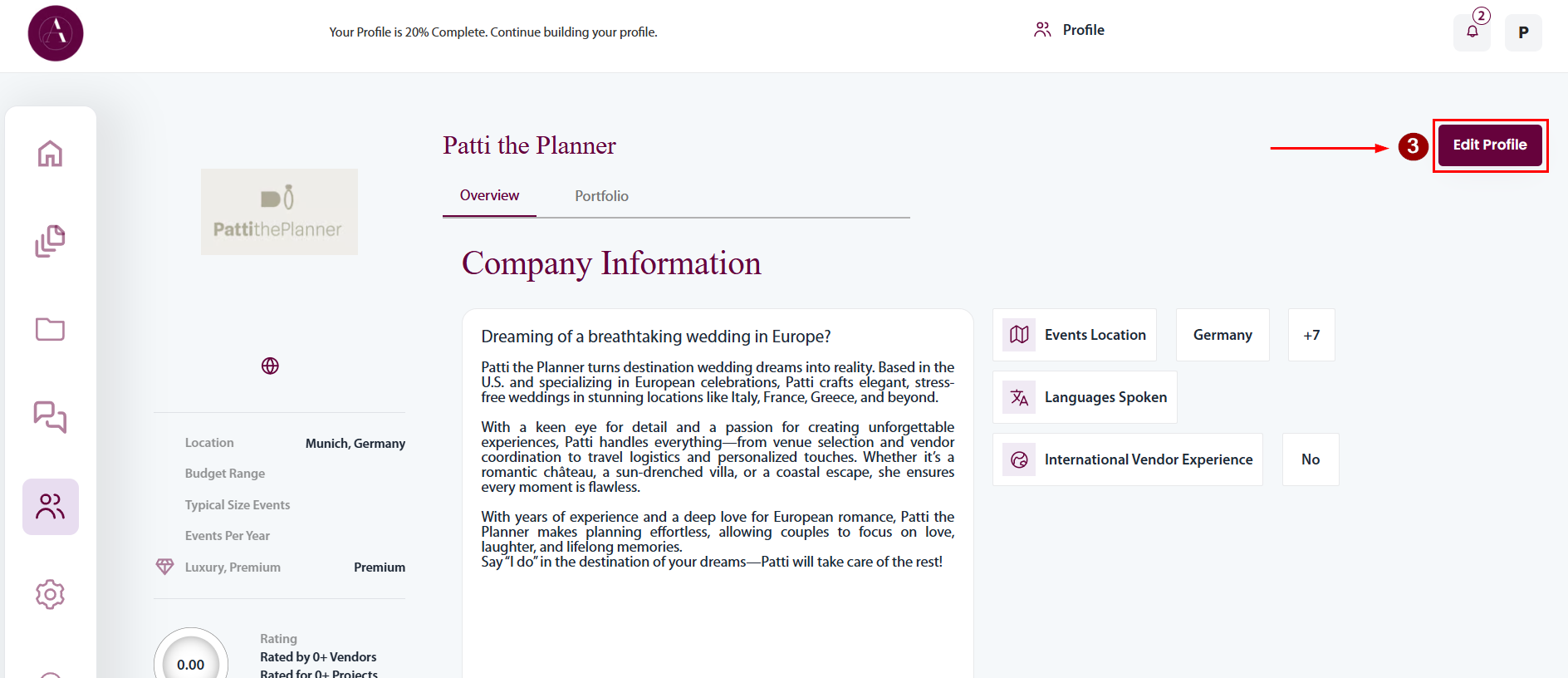
On your Profile Page, click the Edit Profile Button (3) on the top right.
Edit your Profile
In the menu on top of the page, navigate to the section you wish to edit
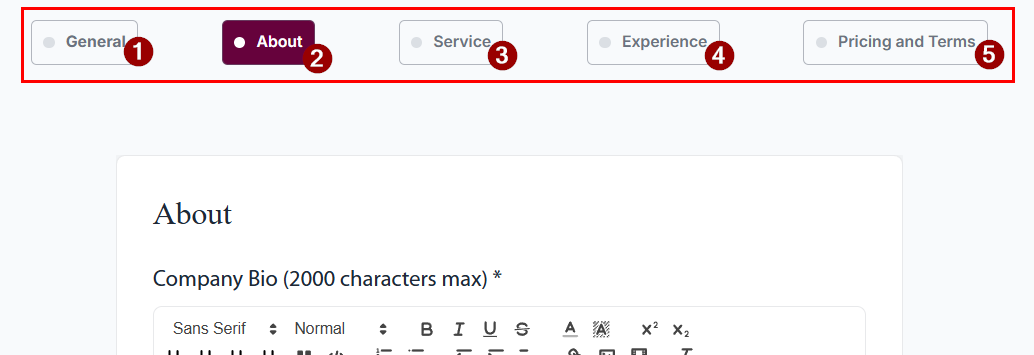
- General Information about your Business (Name, Address, Website, Instagram and other Social Media Accounts)
- Details about your Business (Company Bio, Logo, Languages, Operational Capacity, Communication Preferences, Your Business Values and Attributes)
- Details about your Service (Your Services and Regions where you are active, your typical events)
- Your Experience
- Provide references to receive the Trusted Vendor Batch on your Profile
- Provide details about your pricing, terms and conditions, licenses and certificates you own