
Select the Project to add a Service
-
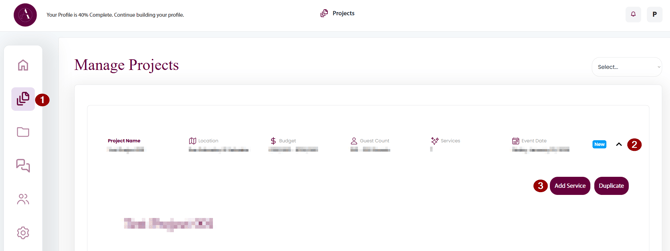
Navigate to Manage Projects
- Click on the arrow to unfold the project details
- Click on the Add Service button
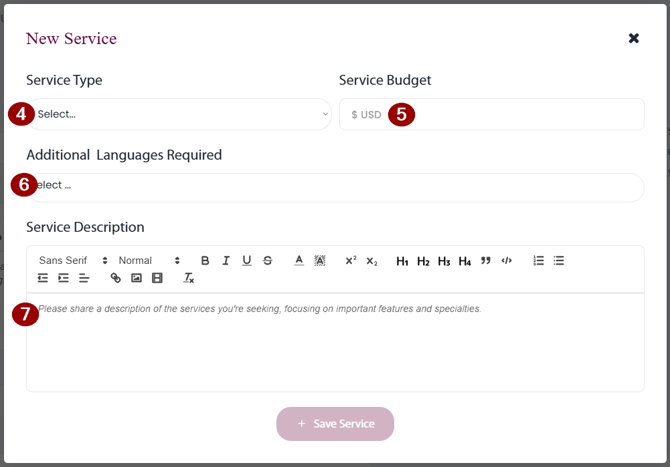
- Select the service type you are looking to add
- Set the budget for the specific service
- If needed, add the language requirements for the vendor
(e.g. if the vendor needs to communicate with the guests in a different language) - Add a description for the service. Be as precise as possible giving away your or your clients personal information or violating any NDA you have in place.